Introduction
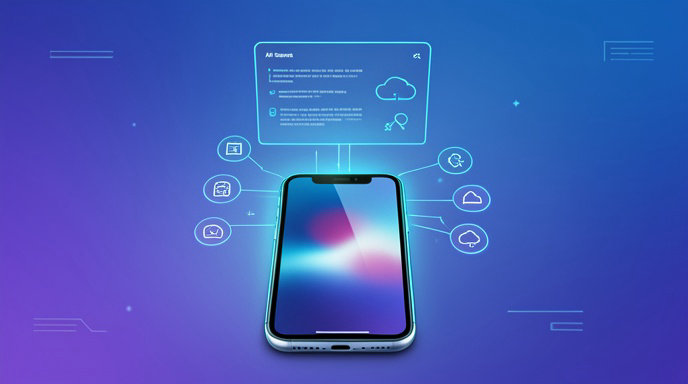
Can you use a Perplexity account on iPhone? Yes—you can use the same Perplexity account on an iPhone through the iOS app, and the App Store listing says the app syncs across devices. You can also access Perplexity from an iPhone browser if you prefer not to install the app.
Can I Use Perplexity Account on iPhone? Everything You Need to Know
Perplexity works well on iPhone, and there are two main ways to use it: through the Perplexity iOS app or through a mobile browser such as Safari. In practice, this means you can sign in to your existing account, use the service on your phone, and keep your activity available across devices when you are logged in.
How Perplexity works on iPhone
The iPhone experience is designed for mobile use, with the app available from the App Store and a browser-based option for people who want quick access without downloading anything. The App Store description says the app is free and syncs across devices, which makes it suitable for users who switch between iPhone, desktop, or other devices.
Perplexity’s iOS availability has also been highlighted in Perplexity’s own product updates, including iOS support for subscription products such as Perplexity Max.
Option 1: Use the Perplexity iPhone app
The simplest way to use your Perplexity account on iPhone is to install the app from the App Store and sign in. A typical setup flow is:
- Open the App Store on your iPhone.
- Search for Perplexity or PerplexityAI.
- Tap Get and install the app.
- Open the app and sign in to your existing Perplexity account, or create a new one.
- Start searching, chatting, or exploring answers.
If you only want to try the app first, some install guides note that you can begin using it immediately and sign in later if you want account-based features like history access.
Option 2: Use Perplexity in an iPhone browser
If you do not want to install the app, you can open Perplexity in Safari or another browser on your iPhone and use it there. The browser option is useful when you want:
- Faster access without downloading an app
- A mobile-optimized web experience
- A quick way to check results on the go
For account use, you can log in from the browser just as you would on the app. This makes it easy to continue using the same account on an iPhone even if your device storage is limited or you prefer not to install additional apps.
How account syncing works across devices
Perplexity’s App Store listing says the app syncs across devices. That means your account is not tied to just one phone; when you sign in with the same account on another device, you can access the same Perplexity experience tied to that account.
At a practical level, syncing usually matters for:
- Accessing your account on both iPhone and desktop
- Keeping your preferences consistent
- Returning to your activity from another signed-in device
A Reddit announcement about the iOS app also referred to account management and thread synchronization in an iOS release, which supports the idea that account-linked activity is meant to carry across sessions and devices. However, because that source is a community post and not a formal help page, the App Store listing is the stronger source for the general syncing claim.
What you can do with your account on iPhone
Using a Perplexity account on iPhone gives you the same core logged-in experience you would expect elsewhere, including access to your saved account state and cross-device continuity when syncing is active. In addition, Perplexity’s mobile app has been described as supporting mobile-friendly AI search and chat interactions on iPhone.
Depending on the current app version and your account type, mobile features may include:
- AI-powered search and answers
- Chat-based follow-up questions
- Access to account-based history or synced activity when signed in
- Subscription access if your plan includes mobile support
Perplexity also has subscription products that are available on web and iOS, which shows that mobile is treated as a first-class platform rather than a limited fallback.
Common setup steps for first-time iPhone use
If you are setting up Perplexity on iPhone for the first time, the process is usually straightforward:
- Install the app from the App Store, or open the website in your browser.
- Sign in with your existing Perplexity account.
- If you do not have an account, create one from the sign-in flow.
- Check that you are using the same login method you used elsewhere, such as email or another supported sign-in method.
- Confirm that sync is working by opening the same account on another device and verifying that your activity carries over.
If you are using the browser version, the setup is even lighter because you can often start immediately and sign in only when you need account features.
Sign-in and account access tips
If you cannot get into your account on iPhone, these checks are the most useful:
- Make sure you are using the correct email address or sign-in method.
- Confirm that the app is installed from the official App Store listing.
- Try logging in through the browser if the app sign-in is failing.
- If you use multiple devices, make sure you are signing into the same account everywhere.
- Update the app if you suspect a bug or outdated build is causing problems.
A community support response suggests including details such as the platform, device model, app version, AI model, and whether a VPN is in use when reporting issues. That is not official policy documentation, but it is a practical checklist for troubleshooting more quickly.
Troubleshooting common iPhone issues
If Perplexity is not working correctly on your iPhone, the issue usually falls into one of a few categories:
- App won’t open or crashes
Try reinstalling the app, restarting the phone, and checking for an update in the App Store. - Can’t sign in
Try the browser version first to confirm the account itself is working, then return to the app after verifying your login method. - History or synced content is missing
Confirm that you are signed in to the same account on both devices and that the app version is up to date. - Connection or loading issues
Check your network connection, disable VPN temporarily if one is in use, and test in Safari as a fallback. - App feature looks different from another device
Perplexity may roll out features gradually, and some functions can vary by platform, subscription, or app version.
Browser use vs. app use on iPhone
The main difference between the two iPhone options is convenience versus installation.
| Option | Best for | Key benefit |
|---|---|---|
| App | Regular use | Faster access and a dedicated mobile experience |
| Browser | Occasional use | No installation required and easy access on the go |
For most users, the app is the better choice if they plan to use Perplexity often on iPhone, while the browser is a good backup or lightweight option.
What to expect from Perplexity on mobile
On iPhone, Perplexity is meant to function as a practical AI search and chat tool rather than just a stripped-down mobile site. The iOS app listing emphasizes that it is free and syncs across devices, while Perplexity’s product pages show that iOS is included in its broader platform strategy.
That makes the answer to the main question straightforward: yes, you can use your Perplexity account on an iPhone, either by installing the app or by logging in through the browser.
Practical checklist before you start
- Download the official Perplexity app from the App Store.
- Sign in with your existing account if you already have one.
- Use the browser if you prefer not to install the app.
- Make sure you are using the same account on all devices for syncing.
- Update the app and retry if sign-in or sync behaves unexpectedly.
If you want, I can also turn this into a more polished SEO blog draft with an introduction, subheadings optimized for search, and a stronger commercial tone.
Use Perplexity on iPhone More Easily with AI4Chat
If you’re reading about using a Perplexity account on iPhone, AI4Chat gives you a flexible way to manage that experience across devices. With Mobile Apps and Cloud Storage, you can stay signed in, keep your chats accessible, and pick up your work from wherever you left off—without losing important prompts or answers.
Stay in Sync on iPhone and Beyond
AI4Chat is especially useful when you want a smooth mobile workflow similar to the convenience you expect from Perplexity. Its cross-platform setup lets you start a conversation on your iPhone and continue it later on desktop, while cloud-saved content keeps your notes, drafts, and conversations organized in one place.
- Mobile Apps for iOS access and cross-platform syncing
- Cloud Storage to save chats and content automatically
Get More Control Over Your AI Conversations
AI4Chat also adds practical features that make your iPhone AI usage more powerful than a basic chat experience. With AI Chat and Incognito Mode, you can ask questions, explore topics, and keep certain chats private when needed. If you want a more advanced workflow for research or writing, AI4Chat helps you stay productive without switching tools.
- AI Chat for fast, versatile answers and research
- Incognito Mode for private conversations
- Cloud Storage to keep your important chats available
Conclusion
Yes, you can use a Perplexity account on iPhone either through the official iOS app or in a mobile browser like Safari. The app is the best option for regular use, especially if you want a more streamlined mobile experience and cross-device syncing.
If you prefer not to install anything, the browser route still lets you log in and use your account on the go. In either case, the core takeaway is simple: Perplexity is fully usable on iPhone, and keeping the same account signed in across devices helps you maintain continuity wherever you work.

.jpg)