Introduction
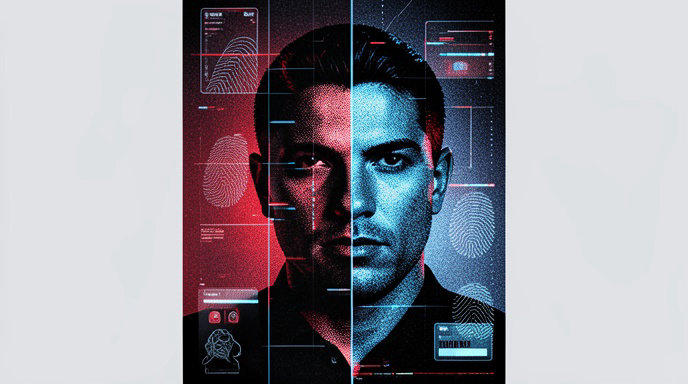
Mugshot generators are tools that create mugshot-style visuals for entertainment, mock design, fiction, and social content, but they should be used carefully because realistic arrest imagery can mislead people or cause reputational harm. The safest use is to treat them as fictional visual effects and clearly avoid presenting them as real law-enforcement records or evidence.
Mugshot Generator Explained: Creative Uses, Risks, and Best Practices
Mugshot generators are AI or template-based tools that transform a portrait or a text prompt into an image that resembles a police booking photo. Common visual elements include a front-facing pose, a height chart background, a placard with an ID number or custom text, and harsh overhead lighting to create the familiar “mugshot” look.
What a mugshot generator is
A mugshot generator is not a law-enforcement database or a tool that creates official records; it is a visual-content tool that imitates the style of arrest photography for creative purposes. Some tools work by uploading a photo and applying a mugshot filter, while others generate a fictional character from scratch or let you write a prompt describing the scene.
Typical outputs are designed to look convincing, but the image is still synthetic or edited content. That distinction matters because a mugshot-style image can carry real-world assumptions about arrest, criminal accusations, and identity.
How these tools usually work
Most mugshot generators follow a simple workflow:
- Upload a portrait or start from a text prompt.
- Add mugshot details such as a height chart, placard text, neutral expression, or dramatic lighting.
- Download the finished image for use in creative projects, memes, thumbnails, or artwork.
Some tools emphasize automatic processing, where the system places the face against a mugshot-like backdrop with minimal manual editing. Others give more control over prompt wording and scene details so the user can shape a specific fictional look.
Creative uses
Mugshot-style visuals are commonly used for lighthearted or fictional projects rather than factual ones. Typical creative uses include:
- Memes and gag gifts.
- Social media posts and profile experiments.
- Music artwork and video thumbnails.
- Fictional character design for stories, games, or concept art.
- Mockup visuals for branding, poster ideas, or editorial concepts.
These uses work best when the image is clearly ornamental or satirical, not documentary.
Entertainment and storytelling applications
For storytellers, a mugshot generator can help establish tone quickly. A mugshot-style image can suggest suspense, comedy, noir aesthetics, police-procedural themes, or an “after the crime” narrative beat without needing a full scene.
In fiction and worldbuilding, creators may use the format to make a character dossier, a fake arrest poster, or an in-universe police file visual. Because mugshots are strongly associated with identity and accusation, the style can communicate a backstory instantly.
Mock design concepts and prototyping
Designers sometimes use mugshot generators for mock concepts rather than final art. For example, a creator may want to test how a “booking photo” motif looks in a poster, album cover, app screen, or promotional graphic before building a custom illustration.
This can be useful for:
- Rapid ideation.
- Visual tone testing.
- Thumbnail A/B concepts.
- Character presentation boards.
- Fictional interface mockups.
When used this way, it is best to label the asset internally as a concept image so it is not mistaken for a real document or authentic arrest photo.
Why mugshot imagery feels so persuasive
Mugshots borrow visual conventions from official identification systems, which makes them feel credible even when they are generated. Law-enforcement photo standards emphasize clear facial visibility, frontal framing, plain backgrounds, and minimal shadows so the face can be documented accurately. Mugshot generators often mimic these cues—height charts, direct gaze, and stark lighting—to produce a recognizable institutional aesthetic.
That realism is part of the appeal, but it is also the source of risk.
Key risks and ethical concerns
The main risk is misrepresentation. A mugshot-style image can be mistaken for a real arrest record, especially if it is shared without context or paired with a misleading caption.
Other concerns include:
- Reputational harm if an image implies an arrest, criminal accusation, or police involvement that never happened.
- Privacy issues when a person’s likeness is used without consent in a way that suggests criminality or humiliation.
- Context collapse on social platforms, where a joke image can be reposted without the original explanation.
- Potential copyright or ownership questions in some jurisdictions when using or reproducing mugshot photographs, particularly if the source image is an actual booking photo rather than a synthetic rendering.
A legal detail worth noting is that actual mugshots can raise complicated copyright and public-record questions depending on who created them and how they are used. That discussion is about real mugshots, not synthetic mugshot-style art, but it underscores why creators should be cautious when using real arrest imagery as source material.
How to use mugshot generators safely
The safest approach is to treat the output as fictional visual design and make that obvious in the caption, surrounding design, and intended use. Practical safeguards include:
- Use only your own photo or a fully fictional character image when possible.
- Avoid using a real person’s face to imply criminal behavior without permission.
- Add clear context that the image is a parody, concept, or creative edit.
- Do not present the result as an authentic arrest record, police file, or news document.
- Be especially careful when sharing on public platforms where screenshots can remove context.
If the image is for humor, the caption should make the joke unmistakable rather than leaving room for misinterpretation.
Best practices for realistic-looking mugshot-style visuals
If the goal is realism without deception, follow design practices that preserve the aesthetic while avoiding harmful ambiguity.
Use a clear source image
A front-facing, well-lit portrait tends to produce the cleanest result. Tools that work from uploads often recommend a visible face, minimal shadowing, and high-resolution input for best visual quality. That mirrors the requirements of official photo capture, which emphasize clear visibility of the face and uniform background conditions.
Keep the styling obviously creative
Even if the image looks convincing, add visual signals that it is a mock concept rather than a real booking photo. Examples include:
- Fictional placard text.
- Obvious parody names.
- Stylized color grading.
- Editorial framing.
- Graphic design elements that signal “art” rather than “record.”
Use consent and role clarity
When the image depicts a real person, especially a public-facing creator, actor, or client, make sure the purpose is understood and approved. A person may be comfortable with a playful portrait but not with an image that implies arrest or criminality.
Avoid high-risk use cases
Do not use mugshot-style visuals to target private individuals, settle disputes, create harassment content, or imply wrongdoing. The combination of face, arrest styling, and social sharing can create outsized harm even when the image is technically synthetic.
Writing prompts for safer mock concepts
If you are using a text-to-image mugshot tool, prompt for fictional design language rather than deception. Useful prompt ideas include:
- “Fictional character mugshot for a noir detective story, clearly stylized, dramatic lighting, editorial art.”
- “Parody booking photo for a comedy poster, fake placard text, playful expression.”
- “Concept art mugshot-style portrait for a crime novel cover, not a real arrest record.”
- “Mock police-style portrait of an invented character, cinematic but obviously fictional.”
The wording should reinforce that the output is an invented or conceptual image rather than a real-world document.
How to make the result look realistic without crossing the line
Realism comes from visual cues, not from deception. To keep the work safe while preserving the mugshot aesthetic:
- Use a neutral composition and direct framing.
- Include a height-chart-like backdrop, but make the text or layout visibly stylized.
- Use dramatic but controlled lighting similar to booking-photo aesthetics.
- Keep facial visibility clear and avoid over-editing that distorts identity.
- Label the asset clearly when publishing it in a portfolio, post, or product mockup.
When the image is meant for design review, add a small caption or surrounding context that says “concept,” “mockup,” or “fictional character visual.” That reduces the chance of the image being detached from its intended meaning.
When not to use a mugshot generator
Avoid these situations:
- To accuse or shame a real person.
- To impersonate law enforcement or fake official records.
- To spread misinformation about someone’s arrest status.
- To create harassment or humiliation content.
- To replace real evidence, reporting, or documentation.
Mugshot-style visuals work best as a creative format, not as a factual claim.
What makes a good mugshot-style image in practice
A strong result usually balances three things:
- Recognizability: it should clearly read as a mugshot-style visual.
- Clarity: the face, placard, and background should be easy to see.
- Context: viewers should understand it is fictional or conceptual.
If one of those is missing, the image may either fail aesthetically or become risky to share.
Many modern generators are designed around speed and simplicity, which makes them accessible for casual users and designers alike. That accessibility is useful, but it also increases the responsibility to label and frame the output responsibly.
Create Mugshot-Style Visuals Responsibly with AI4Chat
If you’re reading about mugshot generators, the biggest challenge is balancing creativity with safety, realism with control, and speed with quality. AI4Chat gives you a flexible toolkit to build, refine, and present mugshot-style concepts without jumping between multiple apps.
Turn a simple idea into a polished visual prompt
Use the Magic Prompt Enhancer to expand a basic concept into a detailed, production-ready prompt for your mugshot-style image. That means you can describe the look you want in plain language, then quickly generate a more specific prompt that helps your image model create the exact mood, framing, lighting, and style you’re after.
- Magic Prompt Enhancer: transforms a rough idea into a stronger, more detailed prompt.
- AI Text to Image & Image to Image: generate or refine mugshot-style artwork with models like FLUX.1, Recraft, Ideogram, Stable Diffusion, Midjourney, and DALL·E 3.
Edit, refine, and keep the final result usable
Once your image is generated, AI4Chat helps you make it cleaner and more presentation-ready. The AI Image Editor lets you resize, compress, and upscale your image, which is useful if you need a sharper version for an article, mockup, social post, or concept board. If you want to compare stylistic variations before publishing, the AI Playground makes it easy to test outputs side by side.
- AI Image Editor: resize, compress, and upscale mugshot-style images.
- AI Playground: compare image results and choose the best version.
Write about the risks and best practices with confidence
For an article focused on risks and best practices, AI4Chat also helps you create accurate, clear copy around sensitive image use. You can draft explanations, safety notes, and usage guidelines in the chat interface, then refine the wording so it sounds professional and responsible. This is especially helpful when discussing consent, misleading imagery, and ethical presentation.
From prompt creation to image refinement and article drafting, AI4Chat gives you the practical tools to explore mugshot-generator concepts while keeping the work polished and controlled.
Conclusion
Mugshot generators can be useful for fiction, parody, mockups, and other creative projects, but they work best when the output is clearly understood as synthetic and not mistaken for a real arrest record. The core takeaway is to use these tools for visual storytelling, not for deception, harassment, or misinformation.
If you keep consent, context, and labeling in mind, mugshot-style visuals can be a sharp and effective design choice. Used carelessly, though, they can easily cross into reputational harm or misleading presentation, which is why responsible framing matters as much as the image itself.