Introduction
Perplexity is generally the better choice for research, fact-checking, and source-backed summaries, while Gemini is usually stronger for creative writing, conversational depth, and Google ecosystem productivity. If your workflow depends on verified information and citations, Perplexity has the edge; if you want a more flexible assistant for drafting, brainstorming, and working inside Google Docs/Gmail/Workspace, Gemini is often the better fit.
Perplexity vs Gemini: Which AI Assistant Is Better for Research, Writing, and Everyday Use?
Choosing between Perplexity and Gemini depends less on which model is “smarter” and more on what kind of work you want done. Perplexity is designed as an AI answer engine that searches the web, synthesizes sources, and shows citations automatically, while Gemini is positioned as a multimodal assistant that supports reasoning, content creation, and productivity across Google’s ecosystem.
For many users, the practical question is not which tool wins overall, but which one is better for a specific task. In research-heavy workflows, Perplexity’s transparency and citation-first design make it easier to verify claims quickly. In writing and everyday productivity, Gemini’s conversational style, broader creative output, and tighter integration with Google tools often make it more versatile.
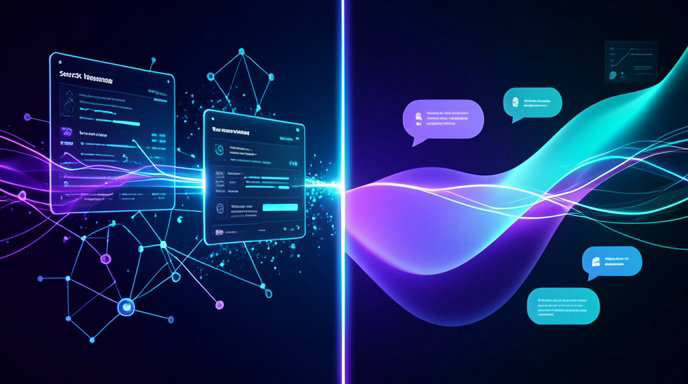
How Perplexity and Gemini differ at a glance
Here’s a quick side-by-side look at how the two assistants compare across the most important categories.
| Category | Perplexity | Gemini |
|---|---|---|
| Core identity | AI search and answer engine | Multimodal assistant and Google ecosystem tool |
| Main strength | Real-time web search with cited answers | Creative generation, reasoning, and productivity |
| Best for | Research, fact-checking, verification | Drafting, brainstorming, rewriting |
| Citation behavior | Strong, consistent citation transparency | Less consistent source visibility |
| Writing style | Concise, factual, research-oriented | More conversational and adaptable |
| Ecosystem fit | General-purpose research workflow | Google Docs, Sheets, Gmail, Workspace |
| Typical advantage | Trustworthy source-backed answers | Flexible assistance across tasks and formats |
What Perplexity does best
Perplexity’s defining strength is research transparency. It treats most prompts like questions that should be answered through live retrieval, and it typically responds with numbered citations tied to the claims in the answer.
That makes Perplexity especially useful when you need to confirm facts, compare sources, or gather material for a report, article, or analysis. Several comparisons describe it as the better daily research tool for content creators, researchers, and SEO teams because it is fast, source-rich, and designed to minimize ambiguity about where information came from.
Perplexity is also valuable when you need a concise summary instead of a long conversational exchange. Its outputs are often structured around direct answers, follow-up questions, and source lists, which is helpful if your goal is to move quickly from question to verified answer.
Best use cases for Perplexity
- Fact-checking claims before publishing content.
- Researching current events, market developments, or niche topics.
- Collecting citations for blog drafts, memos, and reports.
- Comparing viewpoints across multiple sources.
- Getting a compact, research-oriented overview instead of a long creative response.
Where Perplexity is weaker
Perplexity’s research-first design can make it feel less like a creative collaborator and more like a high-end search layer. That is a strength for accuracy, but it can be a limitation for open-ended ideation, narrative tone, or extended drafting.
Compared with Gemini, Perplexity is usually described as less capable for pure writing from a blank page. It can help generate text, but that writing often feels secondary to its core function of answering and verifying. If you want a partner that helps you brainstorm sections, rewrite for tone, or produce a more polished first draft, Gemini is often the stronger option.
What Gemini does best
Gemini is usually framed as a creative partner and productivity assistant rather than a search-first engine. It is commonly praised for conversational depth, adaptable writing style, multimodal input handling, and integration with Google’s tools.
That makes Gemini especially useful when the task is to create rather than merely verify. It tends to perform well on drafting emails, generating outlines, brainstorming marketing copy, rewriting existing text, and working through longer, more iterative prompts.
Gemini is also positioned as stronger for workflows that involve Google Workspace, such as Docs, Sheets, and Gmail. For people whose work already lives inside Google’s ecosystem, that integration can matter as much as the model’s raw writing quality.
Best use cases for Gemini
- Drafting blog posts, emails, and marketing copy.
- Brainstorming ideas and exploring alternative phrasings.
- Rewriting text for tone, clarity, or audience.
- Working with Google Docs, Sheets, Gmail, and related tools.
- Handling multimodal tasks that involve text plus images or other media.
Where Gemini is weaker
Gemini’s main tradeoff is source transparency. Comparisons repeatedly note that it can present conclusions without making citations as visible or consistent as Perplexity’s. That does not make Gemini unreliable, but it does make it less convenient when verification is central to the task.
In research-heavy contexts, that means you may need to do more checking on your own. Gemini can still be very useful for synthesis and interpretation, especially when dealing with long documents or structured reasoning, but it is not as explicitly built around citation-first retrieval as Perplexity.
Research: which one is better?
For research, Perplexity is the clearer winner in most everyday scenarios. Its core workflow is built around web search, source attribution, and verification, which makes it easier to trust and audit the output.
This is particularly important when accuracy matters more than eloquence. If you are gathering background for an article, checking current facts, reviewing competing claims, or trying to avoid citation errors, Perplexity’s structure is more aligned with the job.
Gemini can still be strong in research, especially for long-context analysis, document synthesis, and work that benefits from Google integration. Some comparisons note that Gemini’s long context handling and Deep Research mode can be useful for synthesizing large documents or analyzing information across files. But if the main requirement is “show me where this came from,” Perplexity remains the more direct fit.
Writing: which one is better?
For writing, Gemini usually has the advantage. Multiple comparisons describe Gemini as the stronger pure writing tool because it offers more stylistic range, better long-form drafting, and a more natural conversational flow.
That matters when the goal is to produce something that already reads like a draft rather than a research note. Gemini is often better at generating a narrative structure, creating smoother transitions, and adapting tone to fit the audience. Perplexity can generate written content too, but its writing often reflects its search-first identity, which makes it feel more compressed and utilitarian.
A practical way to think about it is this: Perplexity is better at supplying the materials for writing, while Gemini is better at shaping those materials into a readable draft.
Everyday use: which one is more useful day to day?
For everyday AI assistance, the answer depends on how you use an assistant. If your daily routine centers on quick factual questions, summaries, product comparisons, or current information, Perplexity is highly efficient.
If your routine is broader and more open-ended, Gemini can be more useful. It is generally better suited to ongoing conversations, creative problem-solving, rewriting, planning, and work that spans multiple formats or Google apps.
In simple terms, Perplexity is often the better daily tool for “What is true?” while Gemini is often the better tool for “What should I make?”
Productivity and workflow features
Gemini has a stronger reputation for productivity integration. Its connection to Google Workspace gives it a natural advantage for users who draft, organize, and collaborate inside Google tools.
Perplexity’s productivity strength is narrower but powerful: it reduces the time needed to gather reliable information. That makes it especially efficient for research workflows, editorial work, competitive analysis, and preparation before writing.
If you regularly move from research to writing to editing, the two tools can play complementary roles rather than replacing one another. Perplexity can handle the source gathering and verification stage, while Gemini can help with drafting, restructuring, and polishing.
Accuracy, citations, and trust
The biggest difference between the two tools is not style but how they handle trust. Perplexity makes citations central to the experience, which helps users verify claims directly.
Gemini can provide current information and strong reasoning, but its source visibility is typically less prominent. That is fine for many creative and productivity tasks, but it is a disadvantage when users need traceability.
For serious research, that distinction matters a lot. If you are writing something where unsupported claims are risky, Perplexity’s citation-first design is the safer workflow choice.
Conversational depth and reasoning
Gemini is generally described as having the edge in conversational depth and long-form interactive exploration. It is often better when you want to iterate, refine, and expand ideas through a back-and-forth process.
Perplexity can converse, but it usually does so in a more compact, answer-driven way. That makes it efficient, but less immersive for brainstorming or open-ended exploration.
This distinction matters for users who rely on the assistant as a thinking partner rather than a search tool. Gemini is more likely to feel like a collaborator; Perplexity is more likely to feel like a research analyst.
Which one is better for bloggers and content creators?
For bloggers and content creators, the answer is usually a split decision. Perplexity is better for research-heavy blog preparation, especially when you need current facts, source verification, and topic discovery.
Gemini is better for turning that research into readable content. It tends to produce more usable first drafts, stronger transitions, and more adaptable tone control. A common workflow is to research in Perplexity, then draft and refine in Gemini.
That combination often produces better results than using either tool alone.
Which one is better for students and academic work?
For students, Perplexity is often the better tool for finding sources, checking facts, and starting literature exploration. Its citation behavior is especially useful when you need to trace claims back to original material.
Gemini can be more helpful for organizing notes, summarizing long readings, and drafting explanations in a more natural voice. If the assignment involves synthesis, explanation, or rewriting, Gemini can be very effective.
If the assignment requires verifiable sourcing, Perplexity is the more reliable first stop.
Which one should you choose?
Choose Perplexity if your top priority is:
- verified information
- citations you can inspect
- fast research
- fact-checking
- source-backed writing preparation
Choose Gemini if your top priority is:
- drafting and rewriting
- brainstorming and ideation
- conversational depth
- multimodal work
- Google Workspace productivity
If you want the most practical setup, use Perplexity for research and Gemini for creation. That division of labor aligns with the way each tool is built and helps you get the best result from both.
A Smarter Way to Compare Perplexity and Gemini
If you’re reading an article about Perplexity vs Gemini, you’re probably trying to decide which AI assistant is better for research, writing, and everyday productivity. AI4Chat gives you a practical way to test those strengths in one place, so you can compare output, spot differences in style, and choose the model that fits your workflow best.
Research with Real Sources and File-Based Context
When your comparison is about research quality, AI4Chat makes the evaluation easier with tools built for accuracy and depth. You can use AI Chat with Citations and Google Search to check how well each model supports claims with sources, then upload documents with AI Chat with Files and Images to see how each assistant handles PDFs, notes, screenshots, or study materials.
- AI Chat with Citations for source-backed answers
- Google Search to verify up-to-date information
- AI Chat with Files and Images to research from uploaded content
Write, Refine, and Decide Faster
If your goal is writing, AI4Chat helps you compare not just answer quality, but also clarity, tone, and polish. Use AI Chat with Tone Selection, Word Count, and the AI Humanizer to turn rough ideas into cleaner drafts and see which model gives you the best first draft for emails, summaries, blog posts, or everyday writing tasks.
- Tone Selection to match formal, casual, or persuasive writing styles
- Word Count to keep outputs short or detailed
- AI Humanizer to make text sound more natural
- Draft Saving to keep versions as you compare results
For everyday use, AI4Chat also helps you stay organized while switching between models, topics, and projects. That means less time bouncing between tools and more time seeing which assistant is truly better for your real-life tasks.
Conclusion
Perplexity and Gemini are both strong AI assistants, but they are built for different priorities. Perplexity is the better choice when you need verified information, fast research, and clear citations you can trust. Gemini is the better choice when you want a more flexible tool for drafting, brainstorming, rewriting, and working inside Google’s productivity ecosystem.
The best approach for many people is not choosing one forever, but using each where it is strongest. Perplexity can handle the research and fact-checking stage, while Gemini can help turn that information into polished writing and practical output. Together, they make a powerful workflow for research, content creation, and everyday productivity.