Introduction
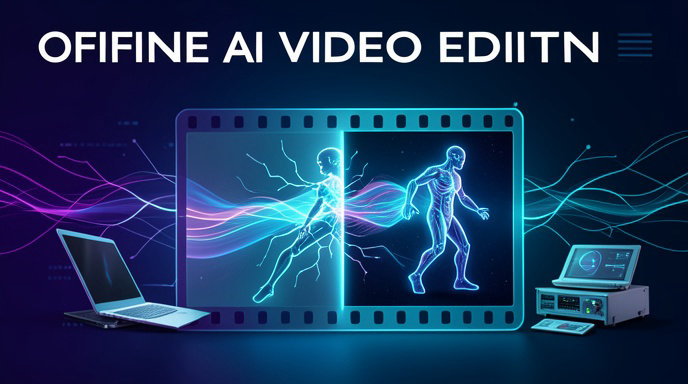
In the era of AI-driven video editing, swapping characters in videos has become a staple trick for creators, filmmakers, and meme enthusiasts. Online tools like Higgsfield AI, HeyGen, or Kling make it effortless—just upload a video and a character image, hit generate, and download the result. But what if you want full control, zero internet dependency, unbreakable privacy, and no per-generation fees? Enter offline AI tools that run entirely on your local machine.
This guide dives deep into replacing characters in any video using local, open-source software. We'll cover the core workflow, essential tools, hardware requirements, step-by-step tutorials, practical limitations, privacy advantages, and pro tips for photorealistic results. Whether you're deepfaking a historical figure into a modern clip or animating your own avatar in action scenes, offline methods empower you without cloud vulnerabilities.
Why Go Offline for AI Character Replacement?
Offline processing means your data never leaves your computer—no upload risks, no API rate limits, and no subscription costs after setup. Privacy is paramount: videos with sensitive content stay local, ideal for professionals handling NDAs or personal projects. Computationally, modern GPUs handle it efficiently, and once trained, models generate results faster than many cloud services during peak hours.
However, offline tools demand upfront investment in hardware (a decent NVIDIA GPU with at least 8GB VRAM) and learning curve. Results rival online platforms but require tweaking for perfection.
Core Workflow for Offline Character Replacement
The process breaks into four stages: preparation, motion extraction/training, face/body swapping, and post-processing. Unlike cloud tools that auto-detect and swap, local methods analyze source video motions, map them to a target character, and blend seamlessly.
1. Prepare Assets: Source video (target motions/environment), reference images/videos of the replacement character (front/side views for best results).
2. Extract Motions: Isolate body poses, facial landmarks, and expressions from the source.
3. Swap and Animate: Train or apply models to map source motions onto the target character.
4. Refine and Composite: Blend into the original background, fix artifacts, add audio.
Expect 10-60 minutes per short clip on consumer hardware, scaling with video length and model complexity.
Key Offline Software Options
Several open-source powerhouses enable this. Here's a breakdown of the top local tools, focusing on accessibility and capabilities as of 2026.
1. DeepFaceLab (DFL) - The Gold Standard for Face Swaps
DFL is a battle-tested, free tool for high-fidelity face replacement. It excels at training custom models on your dataset for realistic swaps in videos.
Strengths: Unmatched quality for faces; supports full-head swaps; runs on Windows/Linux.
Requirements: NVIDIA GPU (GTX 1060+), 8GB+ VRAM.
Download: GitHub (search "DeepFaceLab" by iperov).
Quick Setup:
- Install Python 3.10, CUDA 11.8+.
- Clone repo, run install.bat.
- Data source: Extract faces from source video (workspace/data_src) and target character images/videos (data_dst).
- Train SAEHD model (512+ resolution) for 50k-200k iterations.
Swapping Workflow:
1. Extract frames: video2frame on source video.
2. Extract faces: S3FD extractor (auto-aligns 500-5000 faces).
3. Train: SAEHD model with previews every 10k iterations—watch for color match.
4. Convert: Merge trained faces back to frames (`merged.mp4`).
5. Denoise/X2 upscale for 4K output.
Pro: Handles expressions/lighting perfectly after training. Con: Face-only; needs additional tools for body.
2. Roop + InsightFace - Instant Face Swapping
Roop is a one-click swapper using InsightFace models, ideal for beginners wanting quick results without heavy training.
Strengths: Zero-shot swaps (no training); pip-install simple; extensions for body.
Requirements: Python, ONNX runtime, GPU.
Download: GitHub "s0md3v/roop" or forks like "facefusion/facefusion" (more advanced).
Workflow:
pip install roop insightface onnxruntime-gpu
git clone https://github.com/facefusion/facefusion
cd facefusion && python run.py
- Upload source video and single target face image.
- Select model (inswapper_128.onnx for realism).
- Output: Swapped video in seconds for short clips.
Enhance with --keep-fps --keep-audio flags.
3. DeepFaceLive / SimSwap - Live and Multi-Face
For real-time previews or batch swaps:
- DeepFaceLive: Fork of DFL for streaming swaps (great for testing).
- SimSwap: Body-aware swaps using pose estimation.
SimSwap Example (GitHub "neuralchen/SimSwap"):
git clone repo; pip install -r requirements.txt
python test_video_swapsingle.py --crop_size 224 --use_mask --name people --Arc_path arcface_model --pic_a source_face.jpg --video_p video.mp4
Detects poses via OpenPose, swaps full upper body.
4. AnimateDiff + ControlNet (ComfyUI) - Motion-Driven Full Character Replacement
For full-body swaps, ComfyUI orchestrates Stable Diffusion with motion modules.
Strengths: Generate/animate custom characters from scratch; offline diffusion.
Requirements: 12GB+ VRAM for video; install ComfyUI via GitHub.
Key Nodes: AnimateDiff (motion), IPAdapter (character consistency), ControlNet (pose/depth from source video).
Workflow in ComfyUI:
1. Install custom nodes: ComfyUI-AnimateDiff-Evolved, ControlNet preprocessors.
2. Load source video → OpenPose preprocessor → Extract pose maps.
3. Input target character image → IPAdapter for style/identity.
4. AnimateDiff model (e.g., v3) + LoRA for character fine-tune.
5. Generate frame-by-frame, then VHS_VideoCombine node.
Results: Full character dancing, walking, or acting in original environments.
| Tool | Best For | Training Needed? | Full Body? | Ease (1-10) |
|------|----------|-------------------|------------|-------------|
| DeepFaceLab | Faces/Expressions | Yes | No | 6 |
| Roop | Quick Faces | No | Partial | 9 |
| SimSwap | Upper Body | No | Yes | 8 |
| ComfyUI AnimateDiff | Full Custom | Optional LoRA | Yes | 5 |
Hardware and Setup Essentials
- GPU: NVIDIA RTX 3060+ (12GB VRAM ideal; AMD via ROCm experimental).
- RAM: 32GB+ system RAM.
- Storage: 50GB+ for models/datasets (prune checkpoints).
- Software Stack: Python 3.10, Git, CUDA 12.x. Use Automatic1111/ComfyUI for diffusion; test with nvidia-smi.
- Optimization: Half-precision (FP16) halves VRAM use; batch size 4-8.
Install guide: Download NVIDIA drivers, CUDA Toolkit, cuDNN. Verify: python -c "import torch; print(torch.cuda.is_available())".
Step-by-Step Tutorial: Full Character Swap with Roop + AnimateAnyone (Hybrid Offline)
For a practical example—swap a man walking in a park video with your custom character image.
1. Prep (5 min):
- Video: 10s clip, 720p (input.mp4).
- Character: Clean PNG of target (remove.bg offline version).
- Extract poses: Use OpenPose editor (local install) on key frames.
2. Quick Face Swap (Roop, 2 min):
python run.py -s target_face.jpg -t input.mp4 -o swapped.mp4 --execution-provider cuda
3. Full Body Animate (AnimateAnyone local, 10-20 min):
- GitHub "HumanAnim/AnimateAnyone" (weights downloadable).
python inference.py --video input.mp4 --image target.png --output output.mp4
- It uses DensePose for motion transfer.
4. Composite (FFmpeg local):
ffmpeg -i background.mp4 -i animated_char.mp4 -filter_complex "scale=iw/2:ih/2[char];[char]overlay=10:10" final.mp4
Practical Limitations
- Quality Ceiling: Artifacts on extreme angles/lighting; training mitigates but not 100% foolproof.
- Speed: 1-5s per frame on RTX 4090; longer videos (30s+) need frame interpolation (RIFE local).
- Compute Intensity: Low VRAM crashes long gens—split videos into 5s segments.
- Legality/Ethics: Offline doesn't mean untraceable; watermark detections exist.
- Model Drift: Free models lag cloud (e.g., no Kling V2 parity yet); merge custom LoRAs.
Privacy Benefits
All processing stays local—no logs, no data retention. Cloud tools like HeyGen store uploads (per TOS), risking breaches. Offline: Encrypt datasets, run air-gapped. Audit code on GitHub for backdoors.
Tips for Realistic Results
- Dataset Quality: 500+ diverse source faces (expressions, angles); trueface aligner.
- Color Matching: Histogram match in DFL; Adobe LUTs post-process.
- Motion Fidelity: Use RAFT optical flow for smooth blending.
- Avoid Overfitting: Preview often; random flip/warp data_src.
- Upscale Chain: RealESRGAN → GFPGAN faces → Topaz Video AI.
- Audio Sync: Wav2Lip local for lip-sync post-swap.
- Test Iteratively: Short clips first; blend multiple models (e.g., DFL face + Animate body).
- Community Hacks: Reddit r/StableDiffusion, Discord DeepFaceLab—pretrained models shared.
With these tools and techniques, offline character replacement is now pro-grade accessible. Experiment, iterate, and unlock endless creative potential on your machine.
Create, Refine, and Localize Video Character Replacements with AI4Chat
If you’re following a guide on replacing any character in a video with AI offline, AI4Chat gives you the exact tools to plan, prompt, and polish the workflow without getting stuck on technical writing. Use it to generate clear replacement prompts, refine scene instructions, and prepare the kind of structured guidance that helps local AI video tools understand what character to swap, how they should look, and how the final shot should behave.
Turn a Simple Idea Into a Strong Character-Replacement Prompt
Before you run a local model, the quality of your prompt matters. AI4Chat’s Magic Prompt Enhancer helps you expand a basic idea like “replace the man in this clip with a futuristic woman” into a much more detailed prompt with visual traits, pose cues, lighting notes, and consistency instructions. That means better output from your offline video workflow and fewer failed generations.
- Magic Prompt Enhancer — builds detailed prompts from short ideas.
- AI Chat — helps you brainstorm replacement concepts, scene wording, and style directions.
- AI Humanizer Tool — cleans up instructions so they read naturally and clearly.
Keep Every Shot Consistent Across the Whole Video
Character replacement often fails when the replacement looks different from shot to shot. With AI Chat with Files and Images, you can upload reference frames, character concepts, and notes from your video, then ask AI4Chat to help you compare details and maintain consistency. This is especially useful when you need the same face, outfit, and style to carry through multiple scenes in an offline workflow.
- AI Chat with Files and Images — analyze reference images and shot notes together.
- AI Chat — organize instructions for consistent character identity.
- Cloud Storage — keep your prompts, refs, and iterations saved in one place.
Plan the Full Offline Workflow Faster
When you’re working locally, time is wasted switching between notes, prompt drafts, and model instructions. AI4Chat helps you keep the whole process organized: draft the replacement prompt, refine it, store your references, and reuse successful wording for future edits. That makes it easier to move from one video character replacement to the next with less trial and error.
Conclusion
Offline AI character replacement gives creators a powerful alternative to cloud-based tools: more privacy, more control, and no ongoing usage fees. From face-only solutions like DeepFaceLab and Roop to fuller motion-driven workflows with SimSwap, AnimateDiff, and related ComfyUI pipelines, the local ecosystem now covers a wide range of editing needs.
The tradeoff is that offline workflows demand better hardware, more setup time, and a willingness to experiment. But if you value creative control, data security, and the ability to refine results on your own machine, local AI video character replacement is one of the most flexible and future-proof approaches available today.