Introduction
In the fast-evolving world of digital marketing, user-generated content (UGC) has long been a gold standard for authenticity and engagement. Videos that mimic real customers unboxing products, sharing testimonials, or demoing features drive higher trust and conversions than polished ads. But scaling true UGC is logistically challenging—scheduling creators, coordinating shoots, and iterating on feedback can take weeks and thousands of dollars.
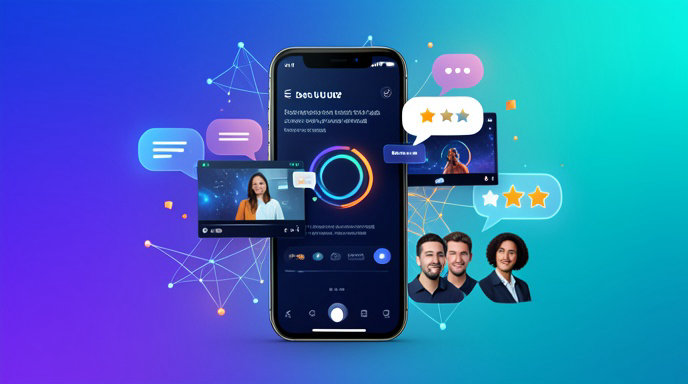
Enter AI-based UGC video creation services. These platforms use advanced AI models to generate videos that look and feel like authentic UGC, complete with realistic avatars, lip-synced voiceovers, natural gestures, and platform-native formats for TikTok, Instagram Reels, and YouTube Shorts. Marketers input a script, product link, or brief, and the AI handles scripting, avatar selection, editing, and export in minutes.
Reviews from marketers, creators, and brands in 2026 highlight a maturing market. Tools like EzUGC, Invideo AI, VidAU, MakeUGC, and Creatify dominate discussions, praised for slashing production costs by 80-90% while enabling A/B testing at scale. However, not all platforms deliver on promises of realism or brand safety. This guide dives into real-world reviews, breaking down key factors like quality, authenticity, ease of use, pricing, and turnaround time. We'll compare top services based on user feedback from blogs, agency case studies, and performance benchmarks to help you pick the right one for your needs.
How AI UGC Video Services Work: The Tech Behind the Magic
At their core, these services leverage generative AI models trained on vast datasets of real UGC. Here's the typical workflow, as described in reviews from sites like EzUGC.ai and RoyalDigitalAgency:
1. Input Phase: Upload a product link, image, or text prompt (e.g., "E-commerce ad for wireless earbuds, excited female creator in her 20s").
2. Script Generation: AI drafts conversational copy in your brand voice, optimizing for hooks, CTAs, and platform algorithms.
3. Avatar and Voice Selection: Choose from hyper-realistic AI actors with diverse ethnicities, ages, and styles. Lip-sync tech syncs speech to facial movements.
4. Customization and Rendering: Add product overlays, backgrounds, captions, music, and effects. Real-time previews allow tweaks.
5. Export and Localization: Generate vertical videos in multiple languages, with batch options for variants.
What sets high-rated platforms apart? Advanced features like multi-language voiceovers, batch rendering for A/B tests, and integration with e-commerce catalogs (e.g., Shopify feeds). Reviews emphasize that top tools produce "scroll-stopping" content indistinguishable from human UGC to 90% of viewers, per agency tests from ClickHive and VidAU.
Key Factors in Reviews: What Marketers Really Care About
Brands and creators evaluate these services rigorously. Drawing from aggregated reviews across RoyalDigitalAgency, EzUGC, ClickHive, VidAU, TrueFan.ai, and MakeUGC blogs, here are the pillars of quality:
1. Quality and Realism
The holy grail is videos that pass the "real UGC test"—no uncanny valley, fluid product interactions, and natural lighting.
High Praise: VidAU scores 4.9/5 for "natural voiceovers and high-fidelity visuals" that integrate user photos seamlessly. Invideo AI excels in e-commerce with realistic product handling, like avatars "unboxing" items.
Common Complaints: Cheaper tools like Lumen5 get dinged for robotic voices and generic outputs. Synthesia shines for explainers but feels less "casual" for social UGC.
Metrics from Reviews: Agencies report 2-5x higher engagement rates when AI UGC mimics raw phone footage over studio polish.
2. Authenticity
UGC thrives on relatability. Reviews stress avatars that avoid corporate stiffness—think messy hair, casual clothing, and imperfect takes.
Standouts: EzUGC and MakeUGC are lauded for "creator-style ads" with instant previews and editable hooks. Creatify's sharp avatars and multilanguage captions fool audiences, per YouTube tester reviews.
Weaknesses: Pictory's moderate customization leads to "off-brand" feels, while some platforms watermark free tiers, killing authenticity.
Brand Insights: TrueFan.ai notes AI fixes organic UGC's flaws, like off-message rants, ensuring 100% compliance.
3. Ease of Use
Beginner-friendly interfaces are non-negotiable for non-technical marketers.
Winners: Invideo AI and MakeUGC offer "quick workflows" with drag-and-drop, no editing skills needed (ramp-up: 30 minutes to 2 hours). EzUGC's batch mode and real-time rendering get raves for performance teams.
Pain Points: Arcads requires a day's setup for custom templates; older tools like Lumen5 have clunky UIs.
User Feedback: Agencies love "idea-to-export in under 10 minutes," enabling daily iterations.
4. Pricing
Subscriptions range from $20-200/month, with pay-per-video options. Reviews warn against "cheap traps" with limits.
Platform pricing overview:
VidAU — Starting Price: $29/mo — Credits/Videos per Month: 50 videos — Key Limits: No watermarks on paid
Invideo AI — Starting Price: $20/mo — Credits/Videos per Month: Unlimited shorts — Key Limits: E-com focus
EzUGC — Starting Price: $49/mo — Credits/Videos per Month: Batch unlimited — Key Limits: Best for volume
MakeUGC — Starting Price: $39/mo — Credits/Videos per Month: 100+ videos — Key Limits: Agency scaling
Creatify — Starting Price: $29/mo — Credits/Videos per Month: 30 videos — Key Limits: API access extra
Synthesia — Starting Price: $22/mo — Credits/Videos per Month: 10 mins video — Key Limits: Avatar-heavy
Value Kings: VidAU and EzUGC offer "ROI-aligned pricing" with unlimited exports beating human creator day rates ($500+).
Caveats: Free tiers often cap length or add branding; scale-up costs spike without enterprise plans.
5. Turnaround Time
Speed is the killer feature—minutes vs. weeks.
Fastest: EzUGC and Invideo AI render in real-time; batch 10 variants in an afternoon.
Benchmarks: ClickHive agencies produce 3+ variations per video for A/B testing, scaling 50 ads daily. TrueFan.ai projects AI handling hyper-personalized global campaigns in hours.
Top AI UGC Platforms: Strengths, Weaknesses, and Comparisons
Here's a side-by-side from 2026 reviews (sources: VidAU table, EzUGC comparisons, RoyalDigitalAgency):
EzUGC — Best For: Performance teams, volume ads — Strengths: Batch mode, multi-language, real-time edits — Weaknesses: Narrower templates — Overall Rating: 4.8/5 — Speed: Minutes — Customization: High
VidAU — Best For: Social UGC ads — Strengths: On-brand from photos, natural VO — Weaknesses: Less SaaS focus — Overall Rating: 4.9/5 — Speed: Fast — Customization: High
Invideo AI — Best For: E-commerce scaling — Strengths: Product realism, beginner UI — Weaknesses: Mixed voice quality — Overall Rating: 4.0/5 — Speed: Fast — Customization: High
MakeUGC — Best For: Agencies automating workflows — Strengths: Full scripting-to-filming, A/B variants — Weaknesses: Slightly steeper learning — Overall Rating: 4.6/5 — Speed: Minutes — Customization: High
Creatify — Best For: SaaS/storytelling — Strengths: Sharp avatars, API — Weaknesses: Slower for bulk retail — Overall Rating: 4.5/5 — Speed: 30 mins — Customization: Moderate
Synthesia — Best For: Explainers — Strengths: Avatar variety — Weaknesses: Less UGC-casual — Overall Rating: 4.3/5 — Speed: Fast — Customization: High
Pictory — Best For: Blog-to-video — Strengths: Easy converts — Weaknesses: Robotic output — Overall Rating: 4.2/5 — Speed: Medium — Customization: Moderate
Lumen5 — Best For: Quick clips — Strengths: Simple — Weaknesses: Low fidelity — Overall Rating: 3.7/5 — Speed: Medium — Customization: Low
Match to Goals:
Retail/E-com: Invideo AI or EzUGC for catalog feeds and bulk renders.
SaaS: Creatify for screen captures.
Storytelling: MakeUGC or Arcads for templates.
Global: VidAU/EzUGC for localization.
Choosing the Right Platform: A Step-by-Step Decision Framework
1. Define Needs: Volume (e.g., 100+ videos/mo)? Prioritize batch tools like EzUGC.
2. Test Realism: Run a one-week pilot with your brief—check engagement in live posts.
3. Budget Check: Calculate cost per usable ad (aim < $5/video at scale).
4. Integrations: Need Shopify/API? Go Creatify or Invideo.
5. Pilot and Iterate: Reviews stress live testing over demos; tweak for your voice.
Ethical notes from TrueFan.ai: Disclose AI where required, blend with real UGC for max impact.
Campaign-Specific Recommendations
Retail: Bulk + price tags = EzUGC or Tagshop AI.
High-Volume Ads: MakeUGC for agency automation.
Budget Brands: VidAU for fast, high-quality without complexity.
Why AI4Chat Fits an AI-UGC Video Service Review
When you’re comparing AI-based UGC video creation services, the biggest challenge is separating polished marketing claims from real output quality. AI4Chat helps you do both the research and the testing in one place: use AI Chat to summarize feature sets, compare platforms, and ask follow-up questions, then use AI Text to Video to see how fast ideas can turn into actual video content. That makes it easier to judge whether a service is truly useful for UGC-style workflows or just good at selling the promise.
Test Video Quality Before You Choose
A good review should focus on output, speed, and ease of use. With AI4Chat’s AI Text to Video tools, you can experiment with concept-driven prompts and evaluate how different AI video models perform for short-form promotional content, product explainers, and social-ready clips. Instead of relying only on demos from vendors, you can create your own side-by-side examples and see which approach best matches the style, pace, and realism you need.
- AI Text to Video for generating sample UGC-style videos from simple prompts.
- AI Chat for comparing service features, strengths, and limitations in plain language.
Make Better Judgments with Cleaner Prompts and Faster Research
Many AI video tools look inconsistent simply because the prompt wasn’t clear enough. AI4Chat’s Magic Prompt Enhancer turns rough ideas into stronger, more detailed prompts, helping you get fairer results when testing services. If you’re writing a review, this also helps you produce sharper notes and more reliable comparisons across different platforms. Together with AI Chat, it gives you a practical way to analyze what each service can actually deliver before you commit.
- Magic Prompt Enhancer to improve prompt quality and get more useful video outputs.
- AI Chat to organize your findings and compare services more effectively.
If you’re evaluating AI-based UGC video creation services, AI4Chat gives you a direct way to research, test, and compare them with less guesswork and more confidence.
Conclusion
AI-based UGC video creation services are rapidly changing how brands produce social-ready content. The strongest platforms combine realistic visuals, creator-style authenticity, fast turnaround, and scalable pricing, making them especially valuable for performance marketing, e-commerce, and agency workflows. Across the reviews, the clearest winners are the tools that balance speed with believable output rather than simply generating flashy videos.
The best choice depends on your goals: volume teams may prefer EzUGC, e-commerce brands may lean toward Invideo AI, and marketers focused on polished social ads may find VidAU or Creatify more suitable. The key is to test realism, compare pricing carefully, and evaluate whether the service truly fits your workflow before committing. With the right platform, AI UGC can become a powerful and cost-effective part of your content strategy.